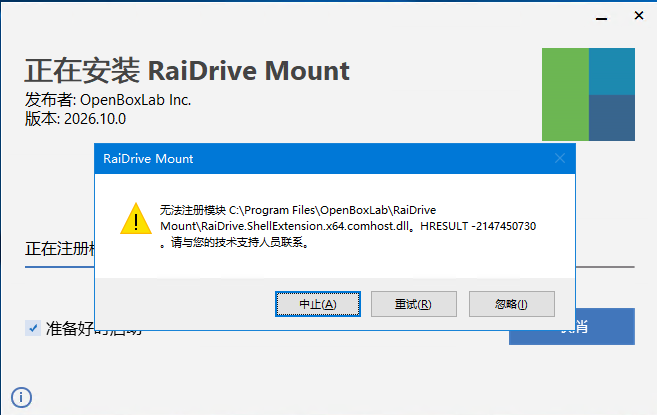
When installing RaiDrive Mount GUI 2026.10.0 on Windows 10 LTSC 2019, an error message appears. I hope this issue can be resolved in future versions.
The error message is as follows: Unable to register module C:\Program Files\OpenBoxLab\RaiDriveMount\RaiDrive.ShellExtension.x64.comhost.dIl, HRESULT -2147450730. Please contact your technical support personnel.
Hi, @da_zha
This error is generally caused by one of the following two issues:
-
Please try installing the latest version of .NET 10:
Download .NET 10.0 (Linux, macOS, and Windows) | .NET
Download and install the version of .NET Desktop Runtime 10.0.14 that matches your operating system and CPU architecture.
If it is already installed, please uninstall it, reinstall it, and then restart your computer. -
On Windows 10 LTSC 2019, there is a known issue where
comhost.dllcannot be registered due to the absence of certain features.
Please try updating to Windows 10 LTSC 2021 or Windows 10 version 1903 (or later).
If the problem persists, please let us know.
RaiDrive Support