Hi Guys,
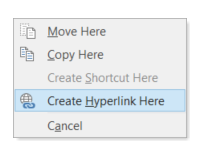
Having an issue where when you right-click a file and drag it to an email, you get the option of making a hyperlink to said location.
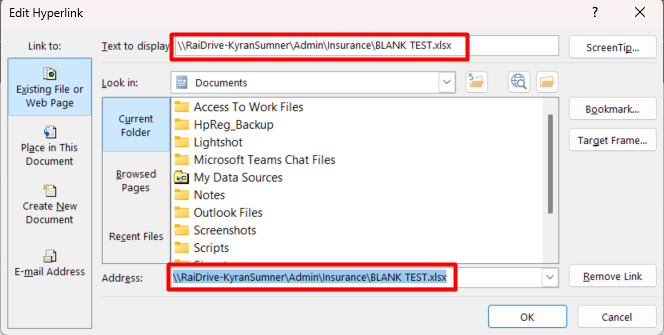
But when it creates the hyperlink, it does not let other users with the same network-access access the file, as it looks like this.
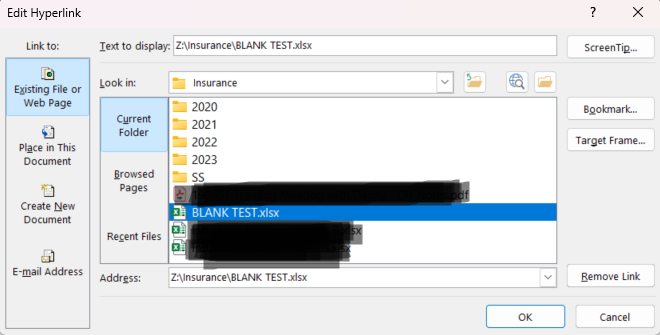
It should point to the network drive itself like a normal hyperlink.
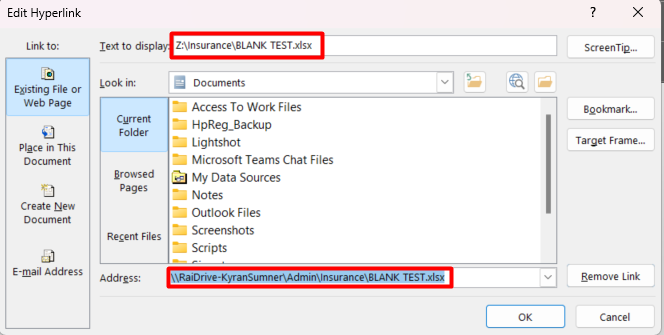
Even after renaming the hyperlink and pointing to the correct location, it still keeps the incorrect location.
Thanks
Hi~ @Kyran_Sumner ,
Thanks a lot for your report.
hi~ @RaiDrive
We are using
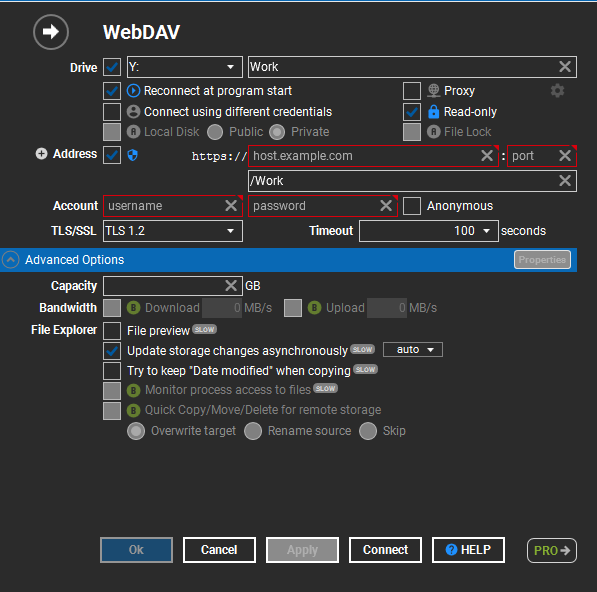
To map the drives, below is one of the mappings we use (I have removed the “HTTP” site)
It looks like you are using an Office application.
It is when creating a hyperlink in Outlook. the version I am currently on is
In the Standard (free) edition, Network Drive(\\RaiDrive-<userid>) is set to the Private mode.
The Professional ’s Local Disk feature allows you to share the drive in Public mode.
And then anyone can access it via \\<your-pc-name> with the credentials.
system
December 3, 2023, 2:06pm
7
This topic was automatically closed 30 days after the last reply. New replies are no longer allowed.