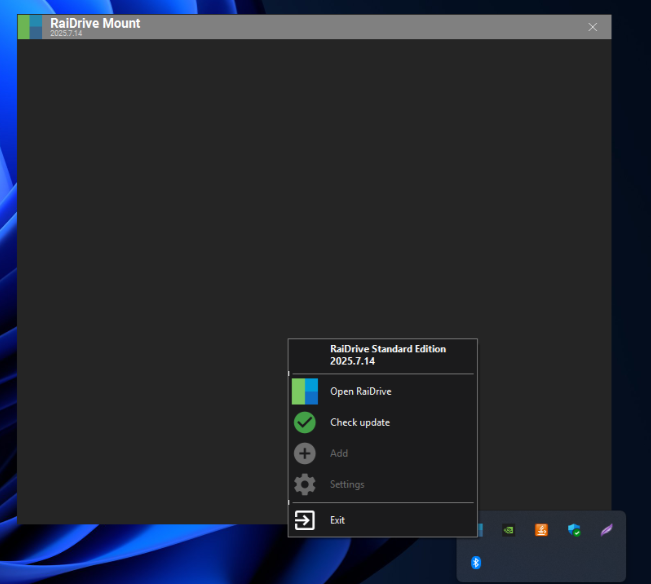
I’ve already installed, reinstalled, run it as administrator, restarted the PC and only this initial screen remains, I’ve already installed both through .msi or .exe and the same thing, what can I do? There’s only this gray screen with nothing, on the clock it shows that it’s installed but I can’t do anything with it.
I’m using windows 11 x64, 12th Gen Intel(R) Core™ i5-12500H (2.50 GHz), 24,0 GB RAM,
I have already disabled Windows Defender, firewall, the .NET framework is update.
Hi, @rodrigoagranville
This issue may occur when you cannot connect to the RaiDrive remote server.
Please compress the log folder below and send it to support@raidrive.com.
- C:\ProgramData\OpenBoxLab\RaiDrive Mount\log
If the log folder compression fails or the compressed content does not include service.log, please copy the log folder and compress the copied folder.
We will review the log and get back to you.
RaiDrive Support
Hi, @rodrigoagranville
Updated the version that fixed the problem when running for the first time or reinstalling.
Please install the new version from the link below and let me know the result.
RaiDrive Support