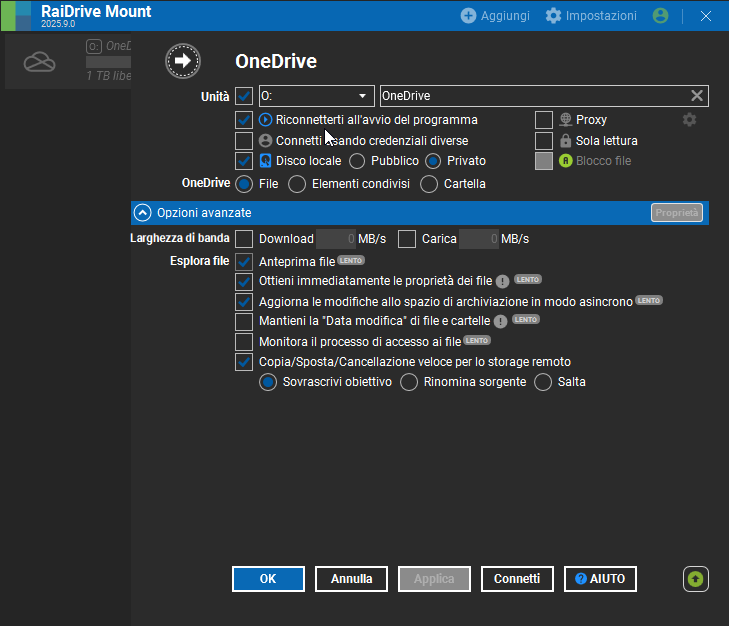
Hi everyone, I write here to find out if there is a feature that I have not been able to find/activate.
I am considering whether to buy the “Lifetime” version of Raidrive when it has this function:
I practically want it to work exactly like the pre-installed OneDrive tool in all Windows systems.
So once you open Raidrive, to have created the local disc (see in the photo), and connected the account, I would like that when I insert the files inside the disc they moved immediately (based on the speed of the SSD/hard disk) and in the background (as onedrive does) the files were loaded.
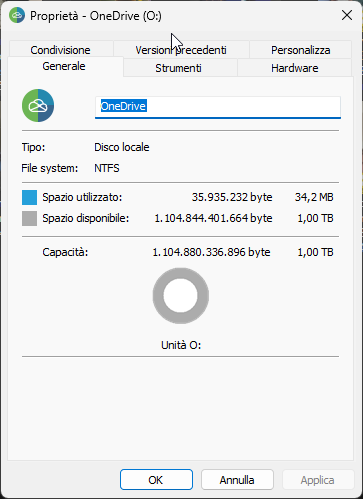
I ask for it because for now, when I move, for example 100GB of files, the classic Windows displacement bar (see photo with classic green loading bar) is as slow as much as the upload of online files. That is it that if I wanted to turn off the computer, all the files that have not been loaded, would be lost (they would not even find themselves in the local disk created with Raidrive)
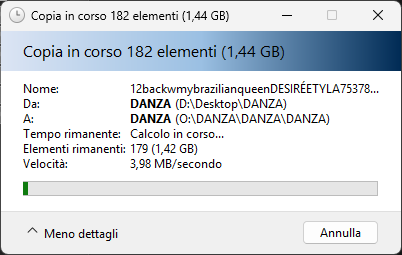
At the same time OneDrive, once the files have been moved to the dedicated folder (OneDrive in fact works with a folder created on the PC and not with a physical disk/network disk), first “accepts” them and then loads them in the background without showing the user.
If the PC were to be turned off, the upload would turn off and the next ignition would return to load the missing files online.
consequently I wonder:
- What would be the difference between creating (with raidrive) a local disc from a network disc? (By creating a local disk, shouldn’t it work as I want? By making the instantaneous passage of the files?). Because otherwise I don’t understand what the advantage of having the local disc should be (paid version) compared to that of the network (free version)
- If you connect the local disk, regardless of the way the files are uploaded (hand in hand or in the background) the files weigh in the memory of my PC? (there is the function, as OneDrive has, to choose whether to keep only one copy online or both online and offline?)
- How can I solve the problem of instantly movement + background loading?
I doubt that a solid program like Raidrive does not have this function.