First of all, I would like to congratulate Raidrive team on the great tool you guys have built, and continuing to improve.
I am currently using OneDrive, and when I provide a folder URL using the --remote-url flag and mount it, the root of my OneDrive is still mounted instead of the specific folder.
Should only a specific part of the URL be provided? Or is my understanding of how --remote-url works is incorrect?
First, please make sure you have the latest version.
When using --remote-url, you must enclose it in quotation marks.
Also, the url is the URL of the shared link, not the url address on the OneDrive webpage.
You must enter the address obtained using the “Copy Link” function in the corresponding folder on the OneDrive webpage. (Right-click the folder and select Copy Link.)
Set it in the following format: (For example, if the drive label is ‘onedrive’) raidrivecli edit onedrive --remote-url ’ https://1drv.ms/f/c/…’
If the issue persists, please zip the log folder below and email it to support@raidrive.com:
/var/log/raidrive
Also, please send the configuration information using the ‘raidrivecli show onedrive’ command.
It worked, thanks! So I misunderstood; I thought it was like Windows, where I can choose the folder I want to use as the root folder without sharing it. In this case, on Linux, I need to share the folder to use it as a root folder, correct?
Also, even after checking the documentation, it’s still not clear to me what the --subtype option does. Could you clarify that for me?
Because the CLI’s goal was to be as simple as possible, it doesn’t provide a folder selection feature.
Therefore, you must use a shared link.
If the subtype is “files,” the “My Files” list appears.
If the subtype is “shared,” the “Shared” list appears.
Currently, due to a change in Microsoft’s policy, the “shared” list is not displayed correctly.
To disable remote URLs, change the subtype to “files”.
Please let us know if you have any questions or comments.
I’ve been using RaidDrive (licensed version) daily for this past days, and I have a question regarding performance.
From my testing, RaidDrive performs very well when downloading/uploading single large files to/from remote storage, capping out my network speeds (600 Mbps down and 300 Mbps up). However, when transferring many small files (under ~2 MB each, 300+ files), performance drops significantly and I can’t even get 50 Mbps sustained.
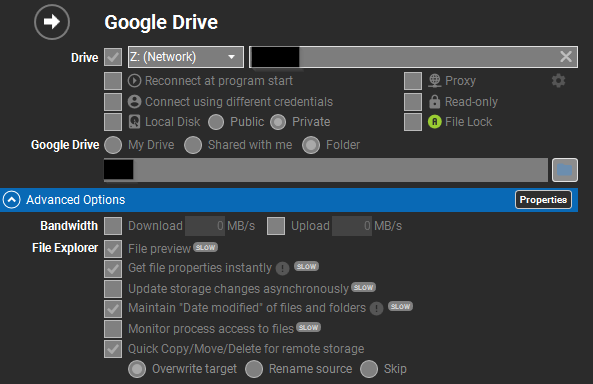
I’ve tested multiple combinations of mounting options and didn’t notice any difference. The configuration below is what I’m currently using:
When copying files, file creation, writing, and closing occur sequentially.
When creating a file, RaiDrive creates the file remotely, and when closing the file, it uploads it again remotely.
Furthermore, when updating the file modification time, three remote requests are made, which significantly increases the basic processing time for a single file.
For large files, the time it takes for these three requests is relatively small compared to the upload time itself. However, for small files, the request time is greater than the upload time itself.
Therefore, uploading small files significantly slows down the upload speed.
The solution to this problem is to perform uploads in parallel.
The best way to do this is to use the Google search tips below to find help with “parallel” and “fpsync.” Then, copy files in parallel.
Google search : linux parallel files copy
When using parallel processing, be aware that if too many remote requests are made at once, Google Drive may impose a request limit.
Therefore, it’s recommended to specify an appropriate number of parallel processing operations. We recommend 2 to 4 parallel processing operations.

 !
!