Managed License
We’re excited to introduce managed licensing, which allows administrators in your organization to choose which features are available.
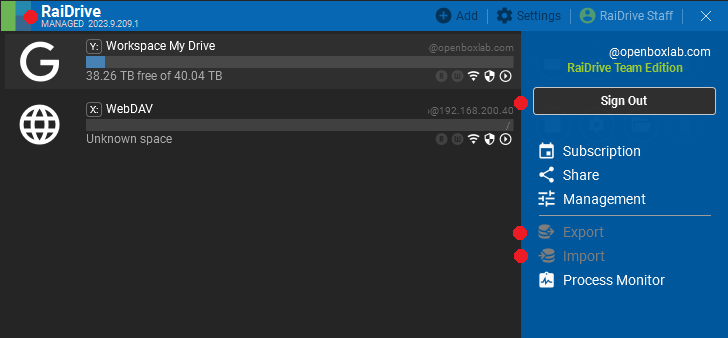
The managed license allows members to use only the features or storage selected by the administrator. Members must sign into the RaiDrive app. Managed licenses are only available in Team and Essential plans and are available starting from version 2023.9.209.1.
You can select the following items:
Common features
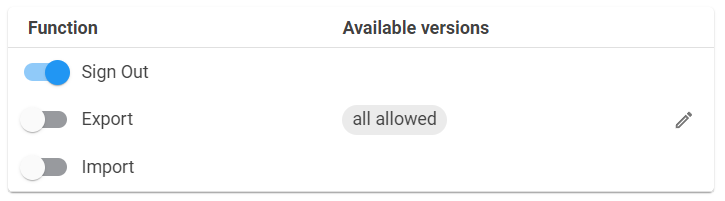
- Sign out:
ON/OFF - Export:
ON/OFF - Import:
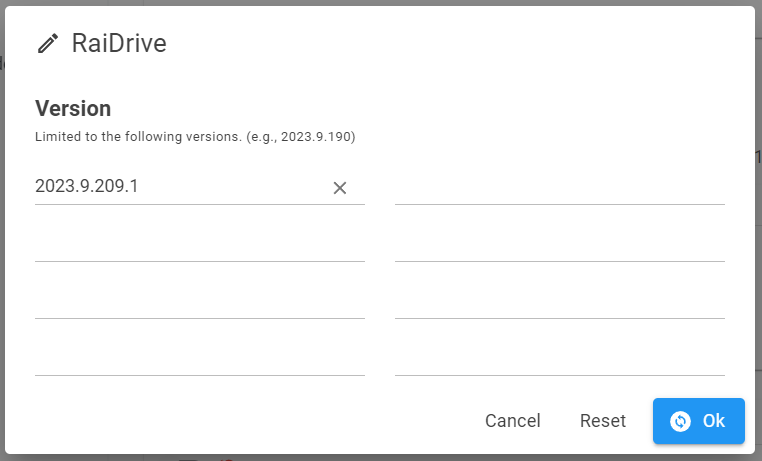
ON/OFF - Versions: available RaiDrive managed versions
Storage features
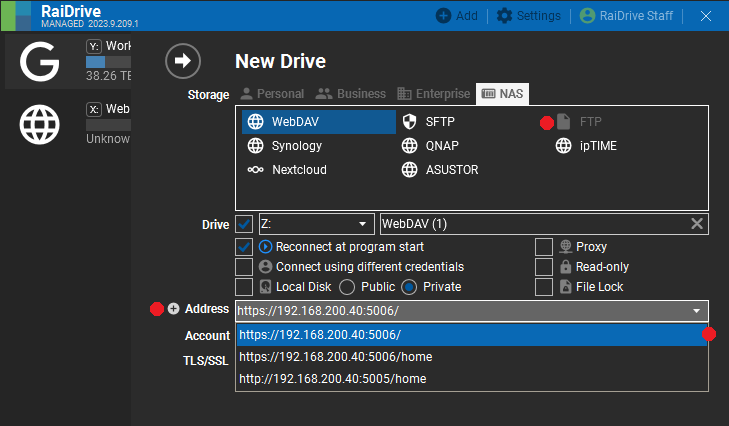
- Storage:
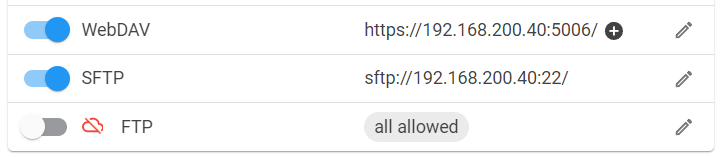
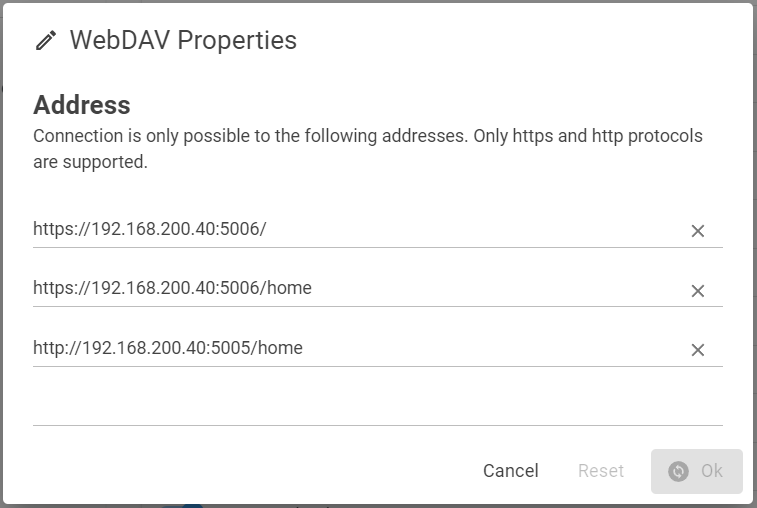
ON/OFF - Addresses: WebDAV, SFTP, FTP, AWS S3 Compatible, Cloudian, IDrive e2, MinIO
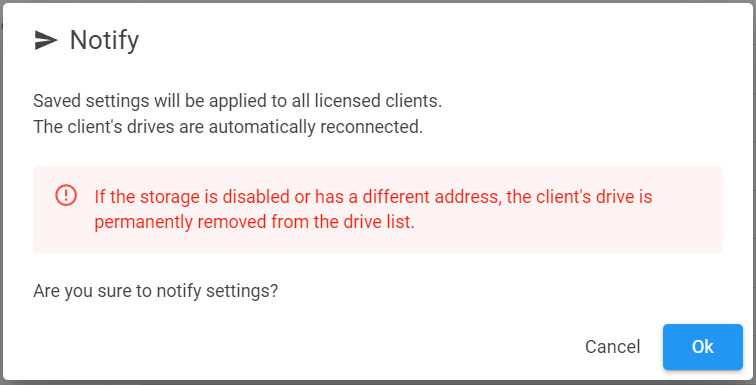
Managed license setup starts at https://pay.raidrive.com/manage. If you want to keep the changed settings, you have to save them. Saved settings are immediately applied to all members’ RaiDrive via Notify.
Common features
- Functions
- Versions
Storage features
- Storages
- Addresses
Notification
- Save, Reset, Notify

- Confirm notification
Forum
- Please leave your comments in the forum below.
- Managed - RaiDrive Forum
Best regards,
RaiDrive