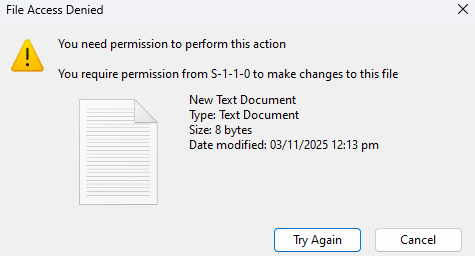
Hello, RaiDrive, which connects to OneDrive, is encountering an error today. I cannot rename files and folders; none of the files or folders can be renamed, but I can delete, create new ones, or copy them. I have logged out and reinstalled the app, but the problem persists. It also happens on another computer. I have attached a screenshot of the error code. Please help me.
2 Likes
Hi, @Vo_Quang
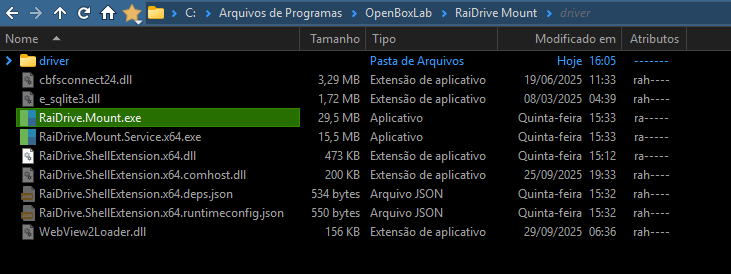
Please compress the log folder below and send it to support@raidrive.com.
- C:\ProgramData\OpenBoxLab\RaiDrive\log
or - C:\ProgramData\OpenBoxLab\RaiDrive Mount\log
If an error occurs when compressing the log folder, copy the log folder and then compress the copied folder.
RaiDrive Support
1 Like
Please compress the log folder below and send it to support@raidrive.com.
- C:\ProgramData\OpenBoxLab\RaiDrive Mount\log
If an error occurs when compressing the log folder, copy the log folder and then compress the copied folder.
RaiDrive Support
1 Like
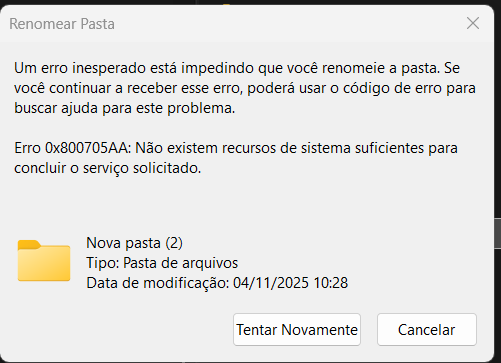
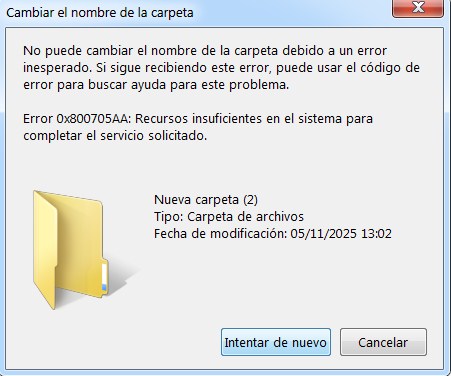
Hello, I have same problem since last friday 31st october.
Troubles when rename files, folders… I’ve tried also to reinstall (and I have more than one computer) and obviously it is an external issue…
I have 3 coleagues using this program too, having the same trouble in their own computers. Since the same date… a few days ago.
I want to share this let you know that it seems that it is not an isolate case.
Thank you in advance, hope you find a solution soon.
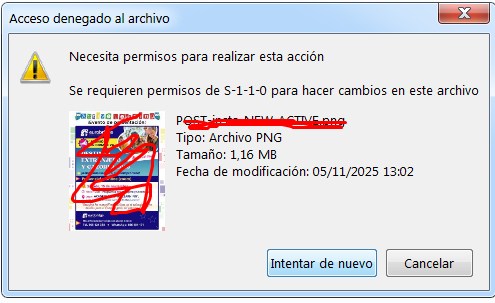
Hi, @Avel
Please compress the log folder below and send it to support@raidrive.com.
- C:\ProgramData\OpenBoxLab\RaiDrive Mount\log
If an error occurs when compressing the log folder, copy the log folder and then compress the copied folder.
RaiDrive Support
Hi, @Avel , @Eduardo_Felipe_Marco , @Vo_Quang
We’ve created a version that improves event handling for shared folders.
Please install the patch version from the link below and test it:
Additionally, due to a recent Microsoft policy change regarding sharedWithMe, there is an issue where the shared folder list is either missing or only one is displayed.
This is due to Microsoft’s policy.
If this issue occurs, please take the following steps.
- On the OneDrive homepage, select a shared folder under “Shared” and right-click.
- From the pop-up menu that appears, select “Add shortcuts to MyFiles.”
This will create a link to the shared folder in “My Files.” - Disconnect the drive from RaiDrive, select “My Files” in the drive properties, and then connect.
If you encounter any problems while using the app or if a desired feature does not work properly, please zip the log folder and send it to support@raidrive.com.
Thank you,
RaiDrive Support
It’s working now, but the network drive name appears as: disconnected network drive, although it functions normally.
1 Like