Hello RaiDrive Team,
I have one bug to report and one question regarding my current subscription plan.
Part 1: Bug Report (Drive label duplication)
Description:
I found a critical UI/mapping bug where the drive label of a newly connected drive are incorrectly overwritten by whichever drive was connected first under Windows “Network locations”.
As demonstrated in the attached videos:
- Scenario A: When I connect OneDrive (O:) first, and then connect Synology (Z:), the Synology drive is incorrectly labeled as “OneDrive (Z:)” .
- Scenario B: If I disconnect both and do the reverse—connecting Synology (Z:) first, and then connecting OneDrive (O:)—the OneDrive drive is then incorrectly labeled as “Synology (O:)”.
Steps to Reproduce:
- Open RaiDrive and connect Drive A to letter
O:. - Connect Drive B to letter
Z:. - Open Windows File Explorer. Drive B will incorrectly display Drive A’s name.
Part 2: Question about Education 2024 Subscription
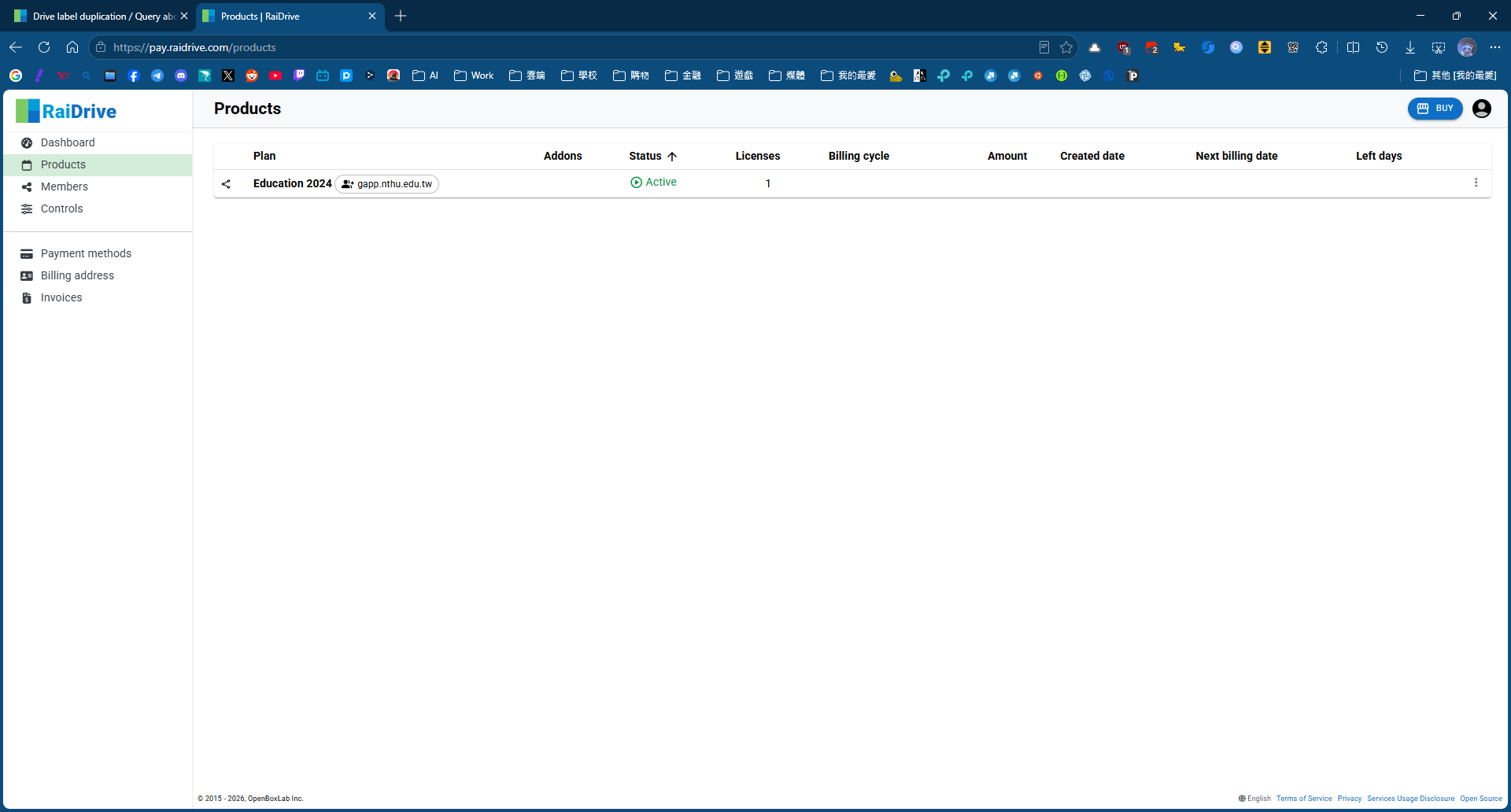
Separately, I am currently using the Education 2024 subscription.
According to Together | RaiDrive , the Education 2024 plan is listed as including the feature to “mount like a physical disk” (Local Drive).
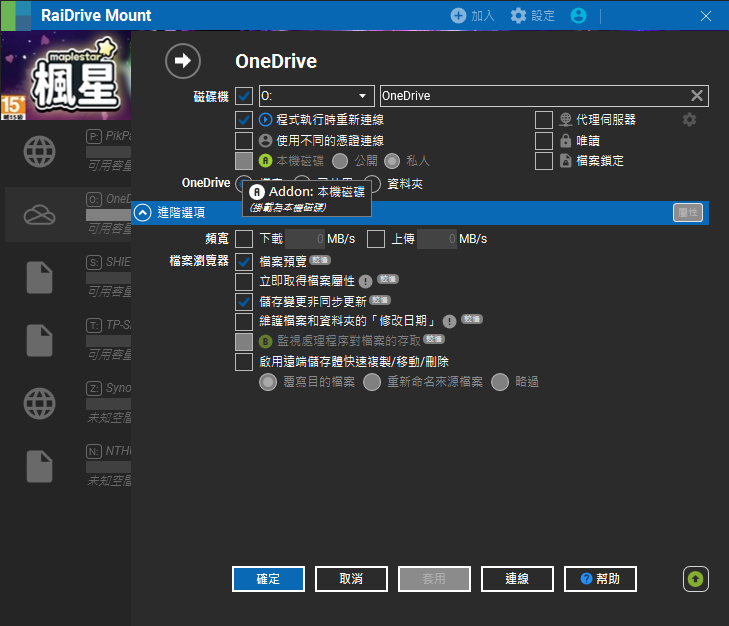
However, as shown in my attached screenshot, the “Local Disk” (本機磁碟) option under my Advanced settings is greyed out and marked as an “Addon”, making it completely unavailable.
Could you please help check why this feature is locked on my active Education 2024 account, and how I can properly enable the “mount like a physical disk” feature included in my plan?
Environment:
- RaiDrive Version: 2026.6.0
- Windows Version: Windows 11 25H2
Thank you for your help!